
Download Citrix Workspace – secure digital workspace solution
Overview
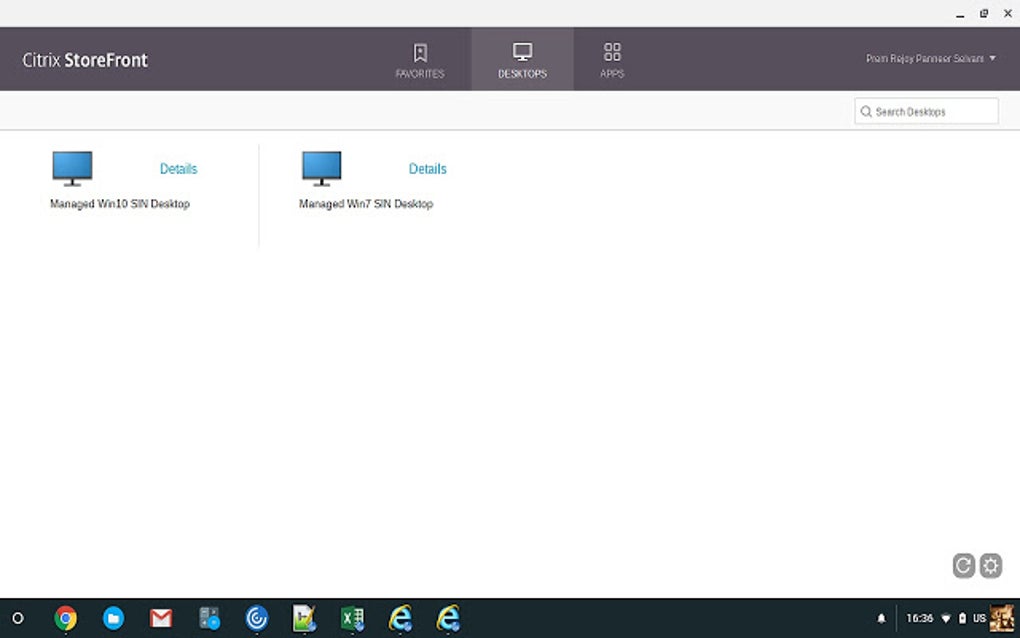
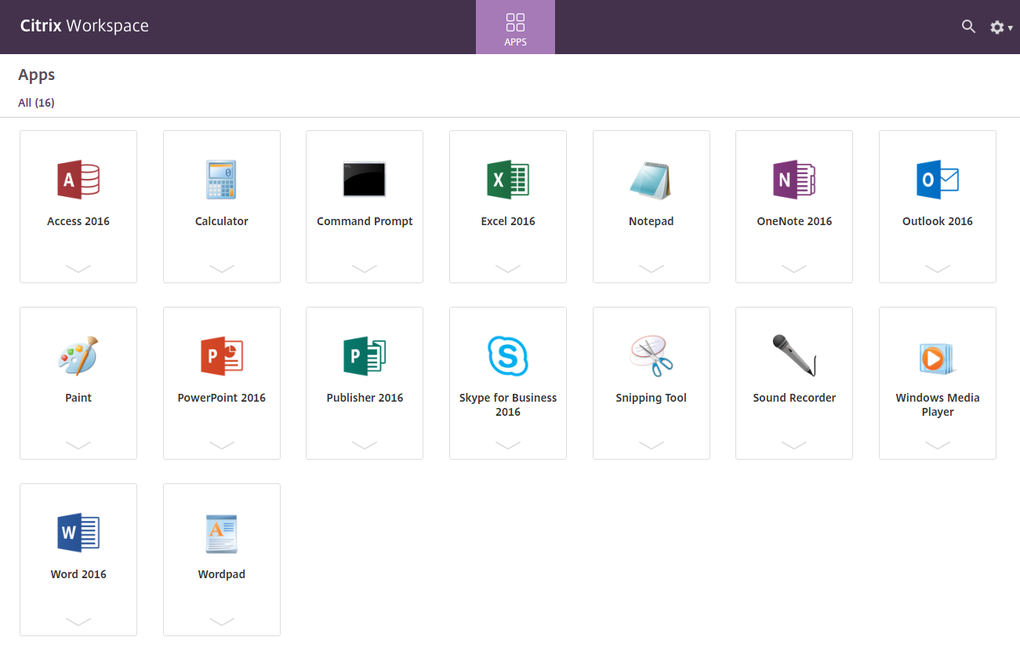
Citrix Workspace is a unified, intelligent, and secure digital‑workspace platform designed for modern remote work. It lets users access any application—whether a traditional Windows program, a SaaS service, a web‑based tool, or a mobile app—from a single, personalized interface. By consolidating apps, files, and collaboration tools into one fluid environment, Citrix Workspace eliminates the need to juggle multiple sign‑ins, switch between unrelated windows, or worry about version mismatches.
The solution automatically syncs files stored in a central repository, ensuring every team member always sees the latest document version. A built‑in single sign‑on (SSO) mechanism provides universal access while keeping credentials safe. Additionally, Citrix isolates browsing activity in a cloud‑based web browser that never touches the corporate network, dramatically reducing exposure to web‑based threats.
Although the platform delivers a high‑performance, secure experience, it does require a Citrix Virtual Apps license, which can be a considerable investment for smaller or medium‑sized organizations. Despite the cost, many enterprises find the productivity gains, reduced IT complexity, and strengthened security posture well worth the expense.
Core Features and Benefits
- Unified Access Layer – Reach Windows, Linux, SaaS, web, and mobile applications from one dashboard.
- Single Sign‑On (SSO) – One credential unlocks the entire workspace, reducing password fatigue.
- Secure Cloud Browser – All web traffic is sandboxed in a Citrix‑hosted browser, protecting corporate endpoints.
- Real‑time File Synchronisation – Centralised storage updates instantly across all devices.
- Personalised Workflows – Drag‑and‑drop tiles, custom folders, and task groups let users create a layout that matches their daily routine.
- Multi‑Device Support – Native clients for Windows, macOS, Android, and iOS ensure a consistent experience on any hardware.
- Zero‑Trust Security Model – Context‑aware access policies, encryption in‑transit, and micro‑segmentation keep data safe.
- Integrated Collaboration – Built‑in chat, screen sharing, and virtual whiteboards streamline teamwork.
- Scalable Architecture – Designed for enterprises of any size, with the ability to add or remove users on demand.
- Analytics & Reporting – Detailed usage metrics help IT admins optimise resources and improve end‑user productivity.
Installation, Usage & Compatibility
Getting started with Citrix Workspace is straightforward. First, verify that your device meets the minimum system requirements listed below. Then download the appropriate installer from the official Citrix website, run the executable, and follow the on‑screen prompts. During installation you will be asked to enter your organization’s workspace URL and your corporate credentials; this step activates the SSO engine. After a quick configuration, the client automatically pulls your personalized layout, including all assigned apps and files.
Supported Operating Systems
- Windows 10, Windows 11 (64‑bit)
- macOS 12 Monterey or later
- Android 8.0 Oreo or later
- iOS 13 or later (iPadOS included)
Step‑by‑Step Installation
- Visit Citrix Workspace download page and select your OS.
- Run the installer (CitrixWorkspaceApp.exe, .dmg, .apk, or .ipa) with administrator privileges.
- Accept the license agreement and let the wizard complete the core component installation.
- When prompted, enter the workspace URL provided by your IT department (e.g., https://mycompany.my‑citrix‑cloud.com).
- Log in using your corporate SSO credentials; the client will cache your token for future sessions.
- Customize your home screen by dragging frequently used apps into a “Favorites” folder.
- Test connectivity by launching a sample application; the client will automatically negotiate the optimal protocol (HDX or ICA).
Once installed, Citrix Workspace runs silently in the background, updating your apps and files automatically whenever you connect to the internet. The client also offers a “Secure Browser” shortcut, which opens a fully isolated web session for any URL you need to visit without exposing your corporate network.
Pros, Cons, FAQ & Conclusion
Pros
- All‑in‑one access eliminates app‑hopping and reduces context switching.
- Robust security—including Zero‑Trust policies and isolated web browsing.
- Cross‑platform support ensures a consistent experience on Windows, macOS, Android, and iOS.
- Real‑time file sync guarantees every user works with the latest version.
- Highly customizable workspace layout boosts individual productivity.
Cons
- Requires a separate Citrix Virtual Apps license, which can be costly for mid‑size firms.
- Maximum user limit of 25 in some licensing tiers may restrict larger teams.
- Initial setup may need assistance from IT staff, especially for complex network environments.
- Occasional latency spikes when connecting from regions with limited broadband.
- Feature‑rich interface can feel overwhelming for first‑time users.
Frequently Asked Questions
Is Citrix Workspace free to use?
Citrix Workspace itself can be downloaded for free, but a subscription to Citrix Virtual Apps (or a compatible Citrix Cloud service) is required to unlock full functionality. A trial license is often available for evaluation.
Can I run both personal and work apps on the same device?
Yes. The platform isolates corporate applications and data from personal apps, preventing accidental data leakage while allowing you to switch seamlessly between the two environments.
What bandwidth is needed for a smooth experience?
Citrix recommends a minimum of 2 Mbps for basic tasks, but 5 Mbps or higher provides a more consistent experience for multimedia and graphic‑intensive applications.
Does Citrix Workspace support multi‑factor authentication?
Absolutely. The solution integrates with most enterprise MFA providers, including Duo, RSA, and Microsoft Authenticator, enhancing login security without adding friction.
How often are updates released?
Citrix pushes regular updates—typically monthly for security patches and quarterly for major feature releases—to keep the workspace current and protected.
Conclusion & Call to Action
Citrix Workspace delivers a powerful, secure, and highly flexible environment that can dramatically improve remote‑work productivity. While the need for a separate Virtual Apps license adds cost, the consolidated access, Zero‑Trust security, and seamless cross‑device experience often justify the investment for organizations that prioritize data protection and employee efficiency. If you’re ready to modernize your digital workspace, download the free client today, start a trial, and experience how a unified interface can simplify your daily workflow.







